Home / OpenBridge Designer

OpenBridge Designer

OpenBridge Software Logo White

OpenBridge Designer

Integrated bridge design, analysis, and modeling software

Streamline bridge design and analysis

Design and analyze bridges with BIM workflows that reduce rework and automate plans, reports, and analysis.

What is OpenBridge Designer?

OpenBridge Designer is a fully integrated application that produces deliverables derived directly from the bridge models. Use one product to create physical and analytical models throughout the lifecycle of all bridge types.

Icon

Unify your bridge design workflow

Combine BIM modeling, analysis, and documentation in one platform. Automatically sync design updates across your project to reduce errors and accelerate delivery.

Icon Cloud

Flexible parametric bridge modeling

Use parametric modeling tools to visualize changes instantly. Evaluate multiple alternatives to optimize cost, performance, and constructability.

Icon Cycle

Automate bridge project deliverables

Generate accurate plans, reports, and quantities directly from your 3D bridge model. Maintain alignment with the latest design and reduce manual effort.

*Prices vary per region. For more options, see licensing and subscriptions section.

  • Accelerate Bridge Efficiency
  • SYNCHRO Perform computer software screen display

    Accelerate Bridge Efficiency With BIM Models

    Combine modeling, analysis, and design to evaluate multiple bridge options for improved design quality, constructability, and collaboration. Connect and enhance workflow processes for as built documentation, maintenance, and operations. Leverage full 4D analysis with no limitations: geometry, boundaries, materials, loads, pre-stressing strand patterns, shear reinforcement, cross-frames, diaphragms, and stiffeners, loading and combinations, construction stages, dynamic analysis, and nonlinear material behavior. Streamline your global projects as you choose from over 20 international design codes.

  • Increase Efficiency Across Project
  • SYNCHRO Perform computer software screen display

    Increase Efficiency Across Project Stakeholders

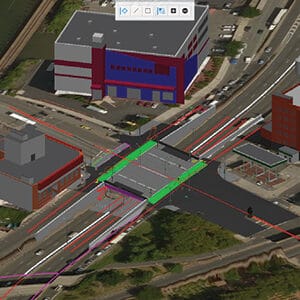
    Leverage geometry from other Bentley civil software to directly read the alignment, profile, and super elevation defined by roadway, tunnel, and rail engineers. No format exchange necessary. The geometry is always current and dynamically updates across project stakeholders as edits are made.
  • Automate Deliverables
  • SYNCHRO Perform computer software screen display

    Automate Deliverables

    Increase the efficiency of bridge modeling by 40% and save up to 20% of the construction budget by continuing to deliver 2D plans obtained from the 3D models. Deliver plans, 3D design data, earthwork, reports, visualizations, BIM deliverables, and construction data to meet project requirements. Use OpenBridge’s interoperability with ProStructures for concrete detailing for increased productivity and profitability.
SYNCHRO Perform computer software screen display

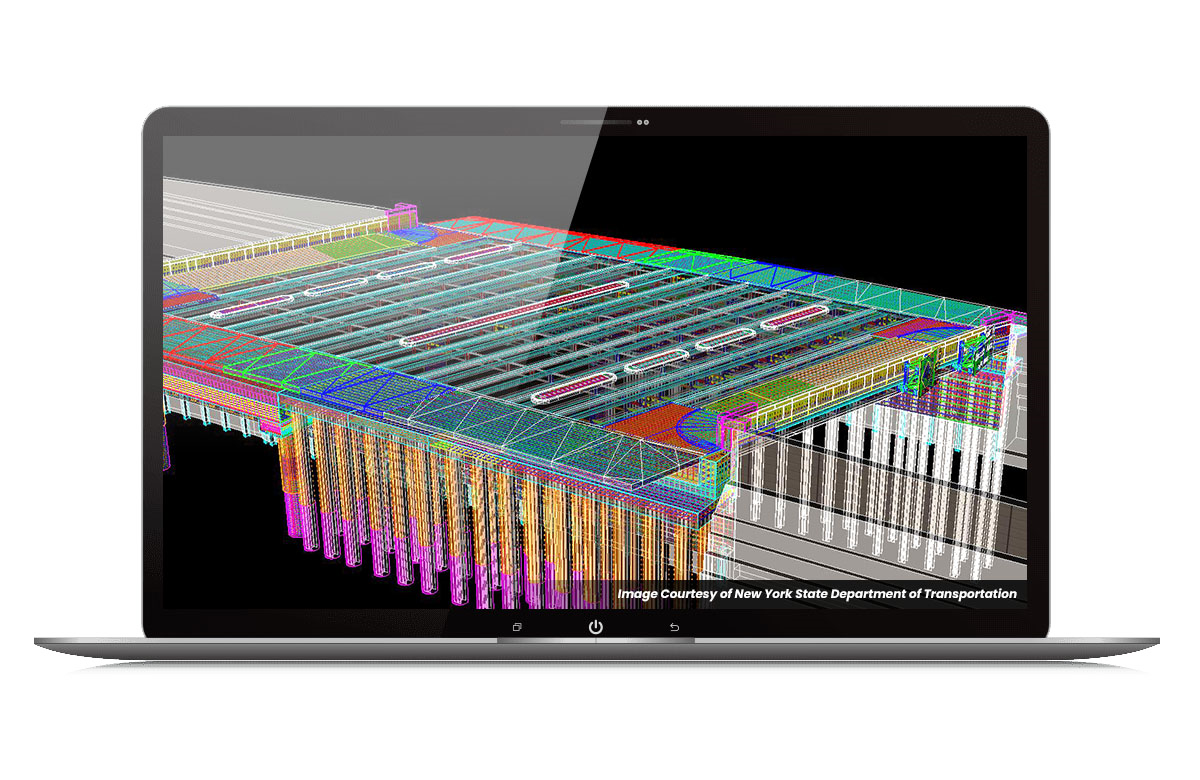
Accelerate Bridge Efficiency With BIM Models

Combine modeling, analysis, and design to evaluate multiple bridge options for improved design quality, constructability, and collaboration. Connect and enhance workflow processes for as built documentation, maintenance, and operations. Leverage full 4D analysis with no limitations: geometry, boundaries, materials, loads, pre-stressing strand patterns, shear reinforcement, cross-frames, diaphragms, and stiffeners, loading and combinations, construction stages, dynamic analysis, and nonlinear material behavior. Streamline your global projects as you choose from over 20 international design codes.
SYNCHRO Perform computer software screen display

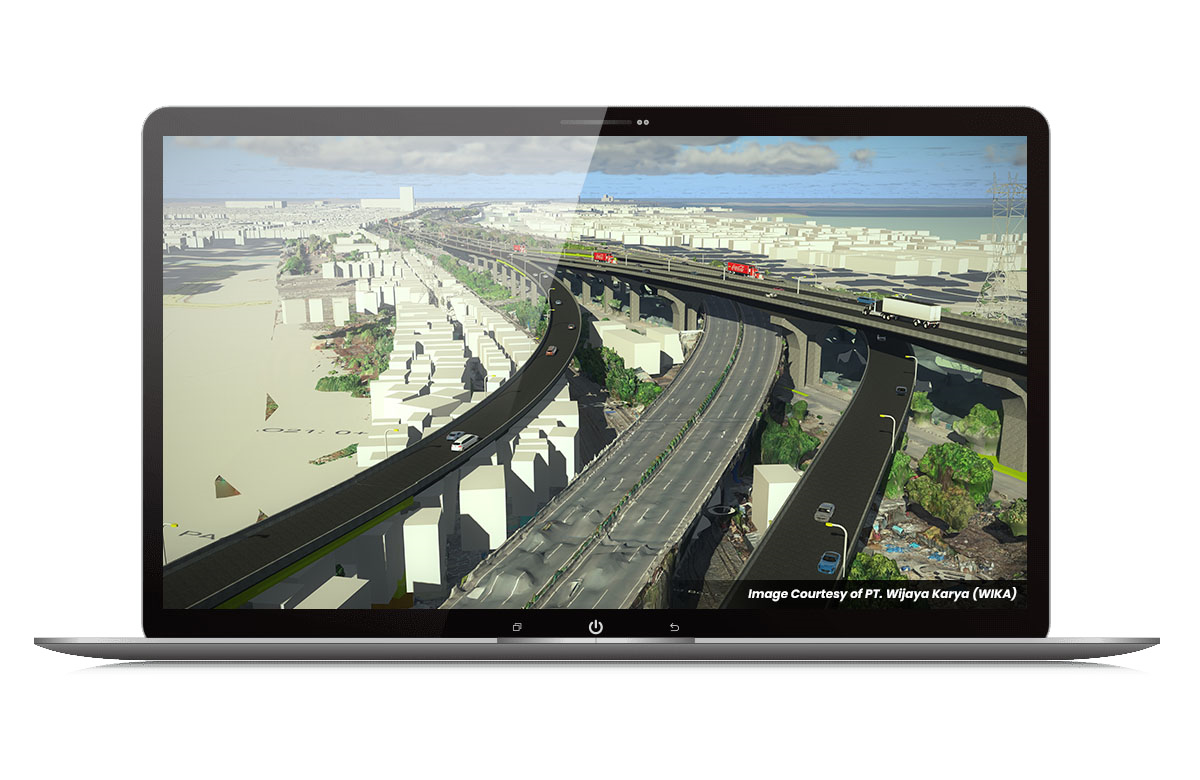
Increase Efficiency Across Project Stakeholders

Leverage geometry from other Bentley civil software to directly read the alignment, profile, and super elevation defined by roadway, tunnel, and rail engineers. No format exchange necessary. The geometry is always current and dynamically updates across project stakeholders as edits are made.
SYNCHRO Perform computer software screen display

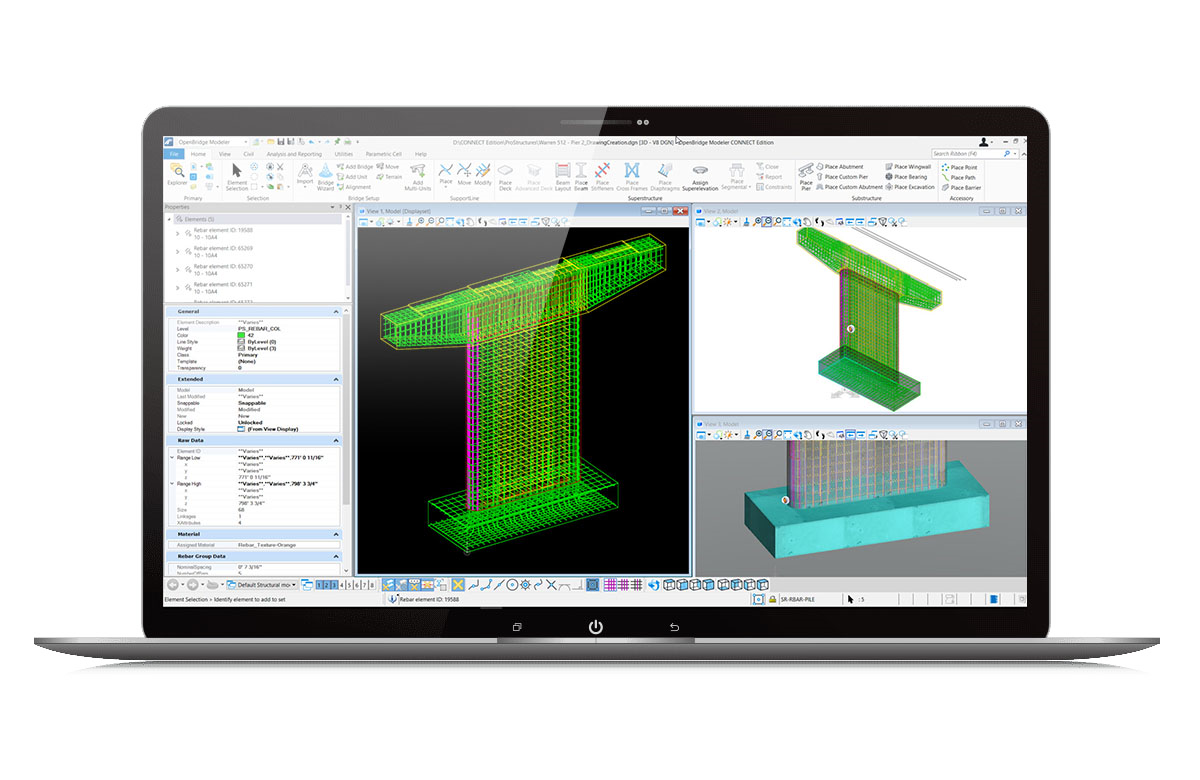
Automate Deliverables

Increase the efficiency of bridge modeling by 40% and save up to 20% of the construction budget by continuing to deliver 2D plans obtained from the 3D models. Deliver plans, 3D design data, earthwork, reports, visualizations, BIM deliverables, and construction data to meet project requirements. Use OpenBridge’s interoperability with ProStructures for concrete detailing for increased productivity and profitability.

OpenBridge Software Logo

OpenBridge Designer

Create a true BIM model at the beginning of a bridge project to improve design quality, constructability, and collaboration.

Featured User Stories

user Quote

Icon Quote

“Bentley software guarantees an excellent structural performance in operation and reduces unforeseen adjustments during construction, especially relevant due to the geometrical complexity of segmental bridges.”

Resources

Line drawing of a package of software to purchase

OpenBridge Designer Resources

Line drawing of a Article document

View All Resources

FAQs

OpenBridge Designer is the industry’s most comprehensive, all-in-one application for bridges. While competitors require you to use separate products for modeling, analysis, and detailing – creating disconnected workflows and risking data errors – OpenBridge Designer integrates everything into a single environment. Your physical model and analytical model are always linked, saving time and eliminating the errors that come from manual data transfer.

OpenBridge Designer provides a seamless path from modeling to analysis and design, something standalone modelers cannot do. It includes all the capabilities of OpenBridge Modeler, plus the integrated power of Bentley’s trusted LEAP and RM Bridge analysis applications. This means you can run a complete design and analysis cycle without ever exporting a file, ensuring your analysis is always based on the latest design model.

No. It is a purpose-built BIM for bridges platform. Unlike general BIM tools that require significant customization and workarounds for civil infrastructure, every tool in OpenBridge is designed specifically for bridge projects. This results in a much faster, more intuitive workflow and the ability to create data-rich digital twins that are ready for construction and long-term asset management.

Absolutely. It includes specialized, out-of-the-box tools for modeling complex components like steel tub girders, cross-frames, and stiffeners. This allows you to achieve a higher Level of Detail (LOD) with far less effort than generalist software that would require time-consuming manual workarounds to produce the same level of accuracy.

Through seamless interoperability, which is a key competitive advantage. OpenBridge Designer can reference road alignments from OpenRoads, rail alignments from OpenRail, and geotechnical data from OpenGround. If a road designer changes the alignment, the bridge model is notified to update. This dynamic link eliminates the risk of designing a bridge based on outdated information – a common and costly problem when using disconnected software from multiple vendors.

OpenBridge Designer is an all-in-one software application used for the detailed modeling, analysis, and design of all common bridge types. It integrates the entire workflow – from initial modeling to the generation of construction deliverables – eliminating the need for multiple disconnected applications and reducing costly rework.

OpenBridge Designer is built for the entire bridge project team. Its primary users are bridge engineers, structural engineers, designers, CAD drafters, and modelers who perform the day-to-day tasks. In addition, project managers and BIM managers use it to streamline collaboration, ensure data integrity, and mitigate project risk.

Processor

Intel® Pentium®-based or AMD Athlon®-based processor 2.5 GHz or greater

Operating System

Windows 11 (64-bit)
Memory: 16 GB

Disk Space

25 GB of hard disk space
Display: 1 GB of video RAM

Licensing and Subscription options

Choose What is Right for You

One-year license with training

Virtuoso Subscription – A popular choice for small and medium-sized businesses

Get access to software that comes with training – fast! Bentley’s eStore offers a convenient way to lease a 12-month license of Bentley software for a low, upfront cost. Every online purchase comes as a Virtuoso Subscription that includes training and auto-renewals. With no contract required, it’s easy to get started quickly.

One-time purchase with support

Perpetual License with SELECT

A perpetual license of Bentley software is a one-time purchase, with a yearly maintenance subscription, called SELECT. This includes 24/7/365 technical support, learning resources, and the ability to exchange licenses for other software once a year. With SELECT, you will benefit from:
  • License pooling, so you can access your software from multiple computers.
  • Access additional Bentley software with Term Licenses, which allow you to pay for what you use without the upfront cost of purchasing a perpetual license.
Annual renewal quotes are delivered directly to your inbox, and our experienced Renewal Representatives are available to answer your questions and guide you through any changes you’d like to make.

Enterprise Organizations

We’ve got your back

For larger organizations with in-depth requirements, we offer plans to provide global pricing and access to our comprehensive portfolio of solutions and success plan services. Contact us about how to get access to software, global best practices, implementation services, training, and technical support to help your organization realize its full potential while addressing your unique needs.

OpenBridge Designer - The Only Fully Integrated Bridge Solution

20% Off Bentley Software

Deal Ends Friday

Use Coupon Code "THANKS24"