Unlock the Power of MicroStation with ArcGIS Data Integration – Thank You

Unlock Exclusive Insights: MicroStation 2024 & ArcGIS Integration

Welcome, Esri Users! Bring your ArcGIS data into MicroStation 2024 to elevate your infrastructure projects with geospatial context.

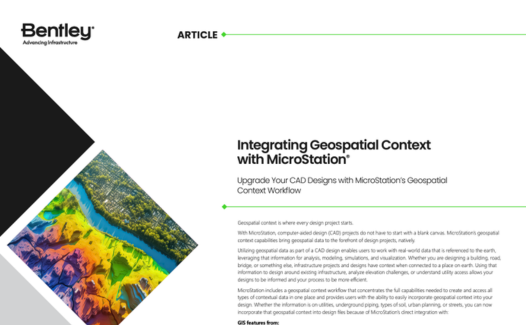
Bentley article titled "Integrating Geospatial Context with MicroStation" discusses how to upgrade CAD designs with geospatial context through seamless Data Integration. The image includes a colorful topographic map and text paragraphs.

Integrating Geospatial Context with MicroStation 2024

Dive into our detailed article that explores the integration process and benefits.

Expanded Geospatial Context in MicroStation 2024

Watch our comprehensive video to see the integration in action.

How to Bring ArcGIS Data into MicroStation 2024

Follow our step-by-step guide to effortlessly incorporate ArcGIS data into your projects.

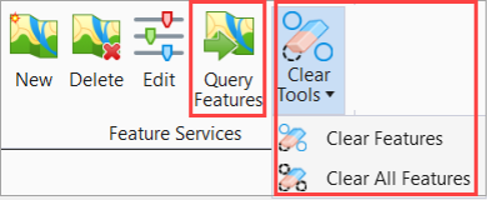
Query Features and Clear Tools 

You can access Query Features and Clear Tools from the ribbon under the Home tab in the Feature Services group.

    • The extent of the active view 
    • A fence (always treated as overlap) 
    • A selected Named Boundary 
    • No extent (All) 
  • You can query or clear only the feature instances of the selected connection. 
  • A Clear All Features tool is now introduced under Clear Tools. You can clear all feature instances in the selected spatial extent using the Clear All Features tool.

A software toolbar with icons for 'New,' 'Delete,' 'Edit,' 'Query Features,' and 'Clear Tools' submenu showing 'Clear Features' and 'Clear All Features.'.

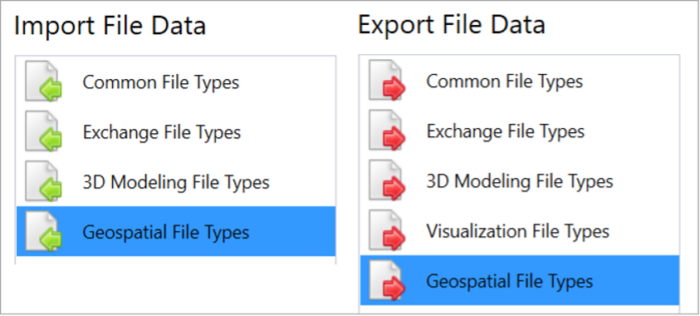
Ability to import and export Esri Shapefiles from the Geospatial File Types tab

The Geospatial File Types tab is now introduced in the File Tab and Backstage menu within the Import and Export tabs. You can import and export Esri Shapefiles using this tab.

  • Import Shapefile Enhancements 
    • You can now reproject feature instances when imported. 
    • You can now map each feature class to the element template to control the DGN element creation. 
    • You can import multiple files in a single operation. 
    • You can select files from ProjectWise. 
  • New Export Shapefile Tool 
    • You can define feature classes by selection set, item type, or element template. 
    • You can export files to ProjectWise. 

Screenshot of a software interface showing "Import File Data" and "Export File Data" sections, each with file type categories including "Common File Types," "Exchange File Types," and more. 

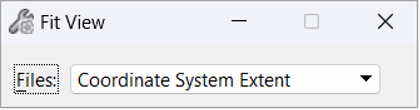
Fit View by Coordinate System Extent

You can now fit the view using the extent of the coordinate system associated to the active model. The fit uses the extent as defined in the coordinate system.

A close-up screenshot of a software interface showing a dropdown menu labeled "Coordinate System Extent" with the "Fit View" option selected.