MicroStation CAD for Design

MicroStation CAD for Design

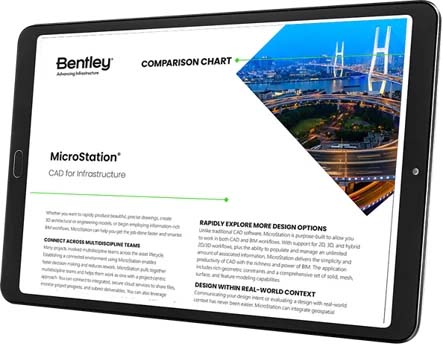
Check Out the MicroStation Comparison Chart.

Tablet displaying Bentley's MicroStation CAD software comparison chart, featuring design options and infrastructure visuals with a cityscape and bridge.

MicroStation is the CAD of Choice for Infrastructure Design Projects

A globe with two pins connected by a dashed line. Above, an icon of a building with a magnifying glass and computer window. The graphic suggests global connectivity and monitoring of buildings, turning visions into reality using advanced tools like MicroStation.

MODEL ANYTHING,
ANYWHERE

MicroStation creates conceptual and detailed drafting, drawing, modeling, and detailing for any industry, with geospatial context.

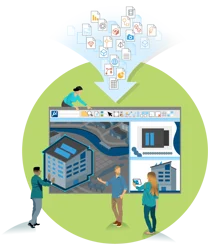
Illustration of a group of people collaborating on a digital project, using MicroStation, with various icons and documents depicted as flowing into the project interface, turning their collective visions into reality.

READ AND CONSOLIDATE
ANYTHING

MicroStation supports and integrates more than 7x the number of file formats than our competitors without translations.

An illustration shows a person using a laptop with a 3D model of a building in MicroStation. In the background, three figures interact with a digital building model displayed on clouds labeled "iTwin," highlighting how visions become reality through innovative technology.

REPORT EVERYTHING, TO INFORM EVERYONE

 MicroStation feeds accurate, real-time CAD data wherever you need, including your digital twin. 

Ready to Get Started?

MicroStation is easy to use and master through a configurable environment with in-app learning, video tutorials, and extensive support that allow you to become an expert in no time.

A person sits at a desk, looking at a computer monitor displaying a website called "MicroStation." A red mug is on the desk beside them, while the background features office decor. The screen reads “Make Your Mark with Design,” emphasizing creativity and innovation in every project.