
Level Yourself UP from CAD to BIM Webinar Series On-Demand

Level Yourself UP from CAD to BIM

Watch the Webinar Series "Level Yourself UP from CAD to BIM" On-Demand

Join us for this exclusive webinar series to know how OpenBuildings Designer, Bentley’s all-in-one building design and energy analysis software, is the perfect tool for your journey from CAD to BIM.

Round Table: Make the Difference – Delivering BIM Projects with OpenBuildings Designer

Leveling up from CAD to BIM is more valuable than ever before. In this round table our experts will discuss the latest BIM trends in the industry, delivery of building design and infrastructure projects to meet current demands and how to improve business outcomes using OpenBuildings Designer.

Expert Talk: See the Difference – Accelerate Architectural Design Delivery Using OpenBuildings Designer

Information models are vital to making important design decisions right from the project’s conceptual stage. Learn how to create and make the most of BIM tools, from space planning to producing intelligent project deliverables using OpenBuildings Designer.

Expert Talk: Recognize the Difference – Designing Mechanical Systems Using OpenBuildings Designer

Mechanical components are the hidden lifeline system of buildings. Let’s talk about how BIM workflows help us model these intelligent systems with OpenBuildings Designer. Starting with simple single modeling, learn how to create 3D models quickly by making assemblies of components. In addition learn how quickly you can produce drawings with automatic annotations from 3D models and other outputs to meet your project delivery requirements.

User Story: Hear the Difference – Successful Projects Using OpenBuildings Designer

Hear first-hand from a fellow industry professional about their journey from CAD, to tapping into all the benefits of BIM, the challenges of the transition and how the right tool helped overcome them.

 Embark on the Journey to Levelling Yourself UP from CAD to BIM with OpenBuildings Designer

OpenBuildings Designer helps deliver well-designed and high-performing building design projects while taking advantage of the many benefits associated with BIM.

OpenBuildings Designer Collaboration Icon

Collaborate Better

Integrate data coming in multiple file formats (e.g., IFC, SDNF, ISM) from different project types and third-party applications.

OpenBuildings Designer Time and Cost Icon

Optimize Time and Costs

Produce accurate and trustworthy drawings and models that can used to save time and money in the documentation process.
OpenBuildings Designer Efficiency Icon

Enhance Design Efficiency

Use 3D modeling techniques and parametric intelligent objects to create BIM models with geometries of different sizes and complexity.

OpenBuildings Designer Design Errors Icon

Minimize Design Errors

Easily detect and resolve clashes in the virtual model to avoid design errors that may otherwise delay the design process.

OpenBuildings Designer Training Icon

Shorten Learning Curve

Master the software with in-app learning, video tutorials and extensive support.
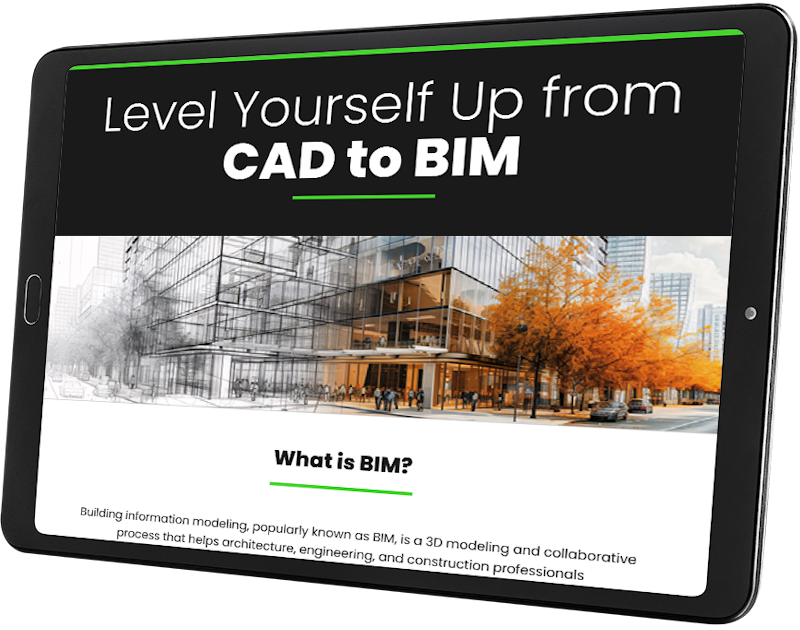
Complementary Infographic: Level Yourself UP from CAD to BIM

Six reasons why it’s time for AEC professionals to move from CAD to BIM.

Download this insightful infographic on why architects and engineers like you need to keep pace with the times and move from CAD to BIM to design and develop better building infrastructure projects.

“OpenBuildings Designer is a godsend to my small design firm.”

Ray D, Architect

AEC Professionals Reveal How BIM Benefits Them

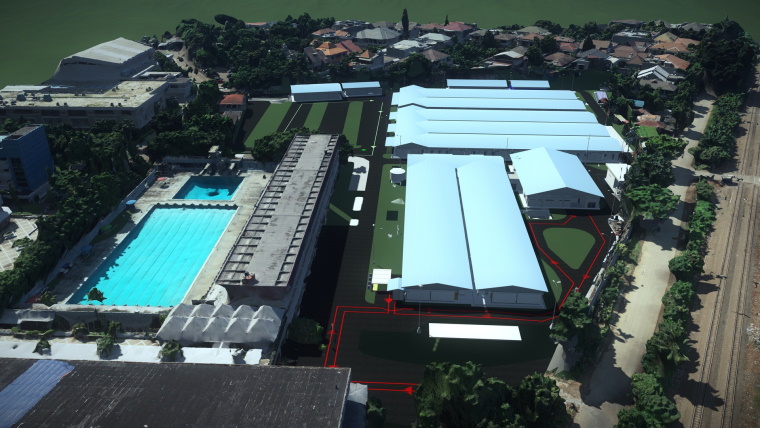
PT. Wijaya Karya Tbk, Indonesia

Image: Courtesy of PT. Wijaya Karya (Persero) Tbk

“Bentley technology has the capabilities and tools to make effective and efficient modular workflows so we can optimize project costs and improve efficiency of the design process.”

Read the Full Success Story

Johnson Pilton Walker, Australia 

Image: Courtesy of Johnson Pilton Walker

“As architects, we spend a disproportionate amount of time and resources trying to represent our solutions rather than designing them. Computational design [using GenerativeComponents in OpenBuildings Designer] has allowed our team to focus on resolving problems and finding better design solutions.”

Read the Full Success Story

The Tools You Need for the Way You Work

A man sitting at a desk in front of a computer, giving a demo.

Architectural Designer

Benefit at every stage in your project’s planning, design, and construction using just one multidisciplinary BIM application.

  • Design a future-proof building while saving time, reducing costs, and achieving higher quality results throughout the life cycle of a building
  • Explore, visualize, simulate, and validate design options rapidly
  • Improve collaboration across different teams and disciplines
  • Make informed decisions by studying the environmental impact of the building at any stage of the process
A woman is demoing a computer in a factory.

BIM Manager / Coordinator

Manage resources efficiently with data, drawings and schedules produced using a single, multi-disciplinary BIM application for all stages of your project.

  • Implement project standards effectively with a single application
  • Improve collaboration within the team and with external stakeholders
  • Streamline training and support for just one application instead of managing multiple software
  • Improve productivity through Bentley Learn training, mentoring, and consulting
A worker in a hard hat is holding a tablet and giving a demo in a factory.

Building Services Engineer

Work efficiently in a model-based, information-rich, collaborative design environment to design services for future-proof buildings, be it civil, structural, mechanical, electrical, or plumbing systems.

  • Project visualizations validate designs and communicate intent
  • Integrate models from multiple disciplines and detect clashes at any stage to improve coordination
  • Enjoy a top performance with large-scale data files

Take the Pain Out of Purchasing

Getting started is easy. With small business pricing and an all-inclusive package of software, support, and training; you’ll be up and running in no time.

Complementary Infographic: Level Yourself UP from CAD to BIM!