


MicroStation 2026
Your trusted CAD software for infrastructure design and modeling with AI automation, real-world context, and enhanced performance.
Automated and efficient
Transform your 2D and 3D design workflows with next-generation automation, real-world context, and performance enhancements.
Boost productivity with AI-powered tools like Bentley Copilot and Python Assistant, access global datasets for immersive visualization, and streamline complex projects with a modern fluent UI and advanced features.
Core Features
Explore the new MicroStation 2026
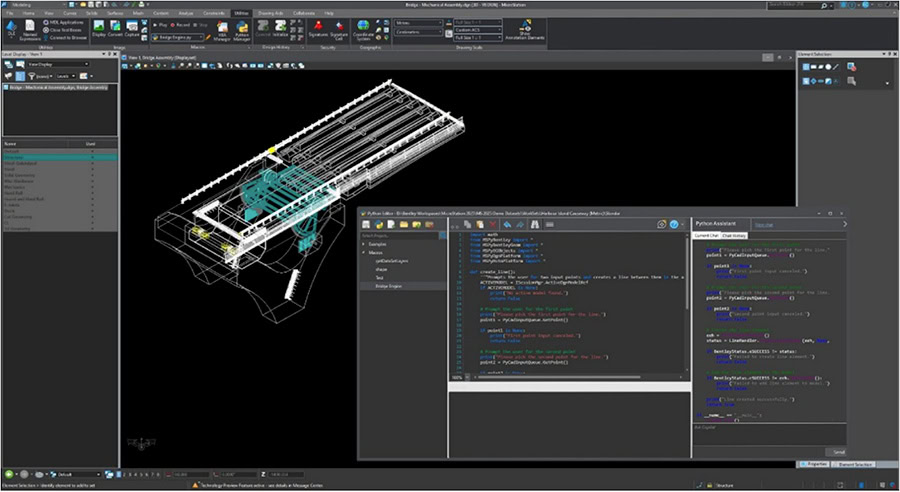
Python Assistant (tech preview)
An AI assistant to create Python scripts more easily. Python scripting and automation are now accessible to a broader range of users.
Learn more ❯
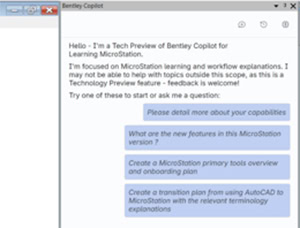
Bentley Copilot (Tech preview)
Learn more ❯
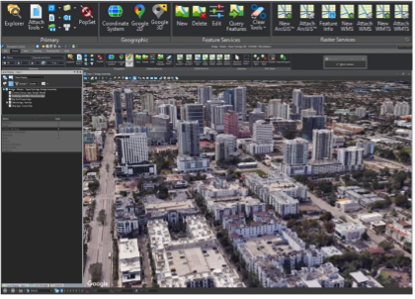
3D Geospatial Context Dialog (Tech preview)
Learn more ❯
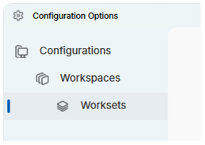
Configurations Wizard
Learn more ❯
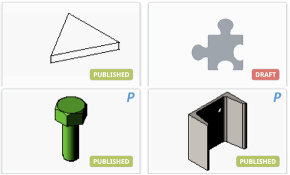
Component Center 2.0
Learn more ❯
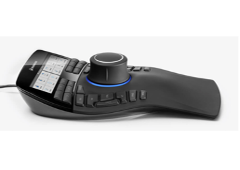
Updated Space Mouse integration
Learn more ❯
Other MicroStation 2026 new features and enhancements to streamline workflows, improve usability, and drive efficiency
Search Location Tool
This new tool integrates Google services directly into MicroStation, allowing users to search by address and automatically fit the view to that location—much like using Google Maps. It simplifies geolocation tasks and eliminates manual coordinate entry. The value for infrastructure designers lies in faster project setup, improved accuracy, and immediate real-world context for every design.
GCS Dialog Improvements
The Geographic Coordinate System (GCS) dialog has been updated and improved to include an integrated map for validating the extent of selected systems. Users can now access coordinate properties in the same view while deprecated options remain hidden. These usability enhancements help engineering firms easily select and validate the correct GCS, which is essential for successful Digital Twin alignment.
New Coordinate Systems and Vertical Datums
MicroStation 2026 adds an expanded range of geographic coordinate systems and vertical datums to the delivered dictionary. These new additions provide a critical reference for measuring elevation and positioning geographic data accurately. Users gain the flexibility to work anywhere globally, ensuring designs align seamlessly with the latest survey, GIS, and terrain data without requiring manual conversions.
UI Rehaul
The user interface has been enhanced through a complete rehaul, now featuring a modern Windows 11 Light Theme. This update provides a more intuitive, visually rich, and adaptive interface with flexible density options. By modernizing navigation and workflows, MicroStation becomes easier to adopt, offering a smoother and more accessible experience that aligns with current technology standards.
Sheet Indexing
This enhancement introduces a forced DGNSI upgrade to provide a more flexible and scalable way to manage project deliverables. While users can still read archived DGNWS-based sheets, the new index allows for easier creation of sheet indices within the Bentley ecosystem. This eliminates the need for third-party applications like Excel, streamlining the production of project deliverables.
Nested Parametric Cells
This new feature allows one parametric cell to be nested inside another, creating a hierarchical structure for complex assemblies. Similar to Mechanical Computer-Aided Design (MCAD) assembly modeling, it enables the reuse of components and reduces duplication. This provides the flexibility to manage complex models with multiple configurations efficiently, especially useful for designers and engineers in the rail supply chain.
Text Editor Improvements
The Text Editor has been improved to include fundamental features like bullet points and an Undo/Redo tool to correct typos. These updates make the editing process feel more like using Microsoft Word. As text editing is a core task for all users, these enhancements increase productivity and make adding text to designs modern, flexible, and intuitive.
Multi-Annotation Scales
The new Multi-Annotation Scale feature significantly increases interoperability for users working with DWG files. It allows MicroStation to display (read-only) AutoCAD annotation elements—such as text and dimensions—that contain multiple scales. This ensures that critical design data is no longer lost when opening DWGs, providing a more seamless workflow for CAD managers and drafters.
New Custom Line Style Editor
MicroStation 2026 introduces a completely new Custom Line Style Editor featuring a refreshed UI and updated icons. The creation process has been streamlined, reducing the number of steps from over 30 to a significantly more intuitive workflow. This enhancement removes the frustration of outdated menus, allowing design professionals to define and modify custom styles with greater speed and precision.
User Quote

[I’m] extremely satisfied [with Bentley Copilot]. Was impressed with the responses. I described the scenario that I was looking to perform, and it provided a list of steps and the location of the commands required in clear language that was easy to follow. I then prompted it to change the approach, and, again, the returned instructions were clear.
— MicroStation 2026 User
Experience automated, efficient design and modeling with MicroStation 2026 today
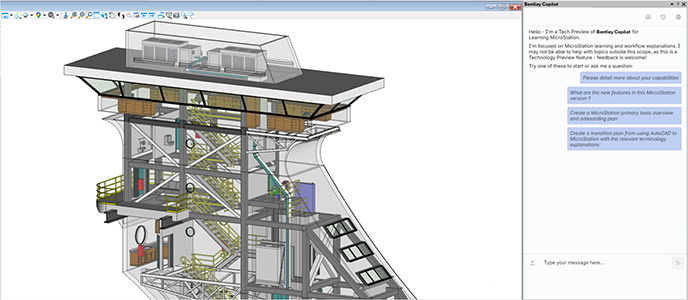
Bentley Copilot (Technical Preview)
Bentley Copilot is your AI-powered assistant embedded in MicroStation, designed to accelerate onboarding, eliminate friction when finding answers, and deliver contextual guidance in natural language. It bridges knowledge gaps, adapts to your background, and transforms every question into a learning opportunity—helping teams work smarter and faster.
Using Bentley Copilot in MicroStation:
- Reduces onboarding time from days to hours.
- Provides contextual, natural-language guidance inside MicroStation.
- Bridges AutoCAD-to-MicroStation terminology gaps.
- Learns your company standards for personalized workflows.
- Improves productivity by eliminating downtime and guesswork.
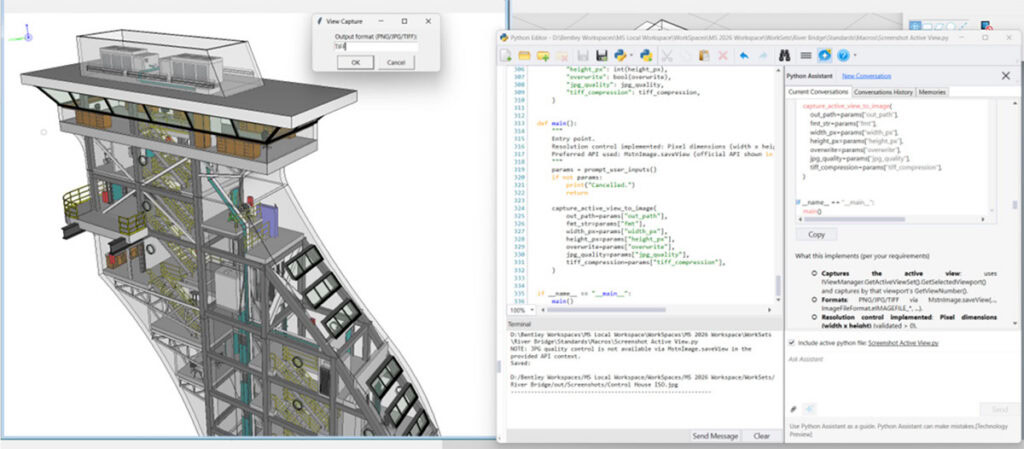
Python Assistant (tech preview)
Beginners or experts can use Python Assistant to automate repetitive tasks, customize workflows, and unlock innovation with AI-generated scripts. It simplifies coding, accelerates productivity, and opens limitless possibilities for extending MicroStation’s capabilities—turning automation into a powerful advantage for every user.
Using Python Assistant in MicroStation:
- Automates repetitive tasks to boost efficiency.
- Generates scripts quickly—even for beginners.
- Enables custom workflows and advanced integrations.
- Unlocks innovation with Python’s vast ecosystem.
- Reduces manual effort, freeing time for high-value work.
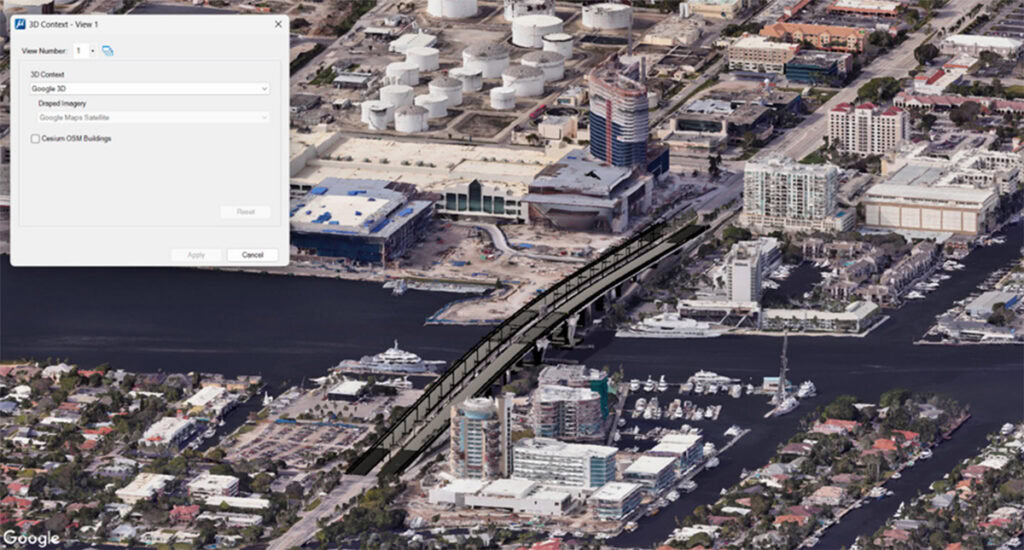
3D Geospatial Context Dialog
MicroStation’s 3D Geospatial Context Dialog delivers immersive real-world visualization by integrating curated global datasets like Cesium World Terrain, OSM Buildings, and Google Photorealistic 3D Tiles. Built on open 3D Tiles standards, it ensures interoperability, efficient streaming, and enhanced design decisions for infrastructure projects worldwide.
3D Geospatial Context in MicroStation:
- Access curated global datasets for real-world context.
- Supports open 3D Tiles for interoperability.
- Delivers immersive visualization for better design decisions.
- Streams massive datasets efficiently for smooth performance.
- Enhances collaboration with standards-based workflows.
Bentley Copilot (Technical Preview)
Bentley Copilot is your AI-powered assistant embedded in MicroStation, designed to accelerate onboarding, eliminate friction when finding answers, and deliver contextual guidance in natural language. It bridges knowledge gaps, adapts to your background, and transforms every question into a learning opportunity—helping teams work smarter and faster.
Using Bentley Copilot in MicroStation:
- Reduces onboarding time from days to hours.
- Provides contextual, natural-language guidance inside MicroStation.
- Bridges AutoCAD-to-MicroStation terminology gaps.
- Learns your company standards for personalized workflows.
- Improves productivity by eliminating downtime and guesswork.
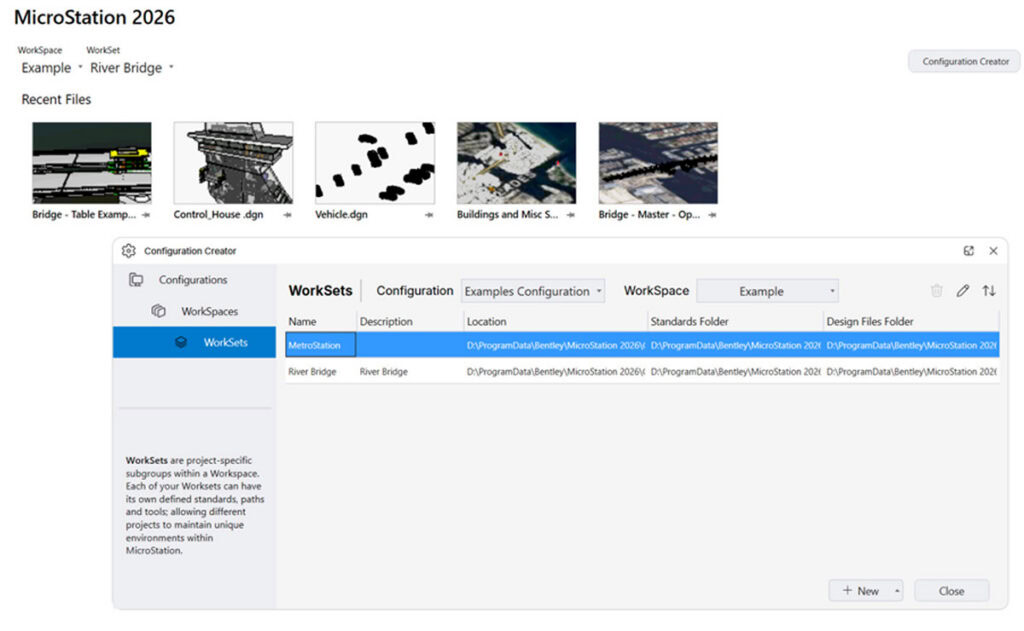
Configurations Wizard
The Configurations Wizard delivers an intuitive, guided setup experience that removes scripting barriers and accelerates productivity in MicroStation. Using best‑practice templates, teams can quickly create consistent, standard‑ready configurations and get projects started faster—no scripting required.
The new Configurations Wizard in MicroStation provides:
- An intuitive, guided setup that eliminates complex scripting from configuration creation.
- Faster time to productivity with predefined, best‑practice templates.
- Consistent standards across projects with reusable configurations.
- Simplified configuration management for new setups or system resets.
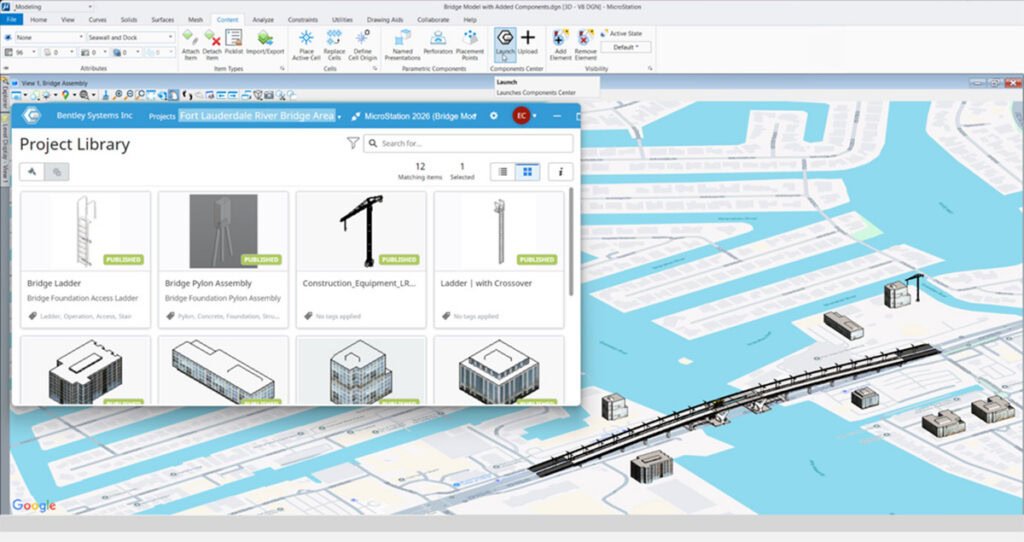
Component Center 2.0
Component Center 2.0 is a smarter, cloud-based library for managing and reusing design components. With deeper integration, governance, and a modern UI, it ensures consistency, compliance, and scalability—connecting components from design to delivery and enabling iTwin-ready workflows for digital projects.
Using the new Component Center in MicroStation:
- Centralizes approved components for consistency and compliance.
- Integrates deeply with MicroStation and Bentley Infrastructure Cloud.
- Enables connected, traceable components for digital delivery.
- Improves collaboration and scalability for enterprise teams.
- Provides a modern, intuitive UI for easy navigation.
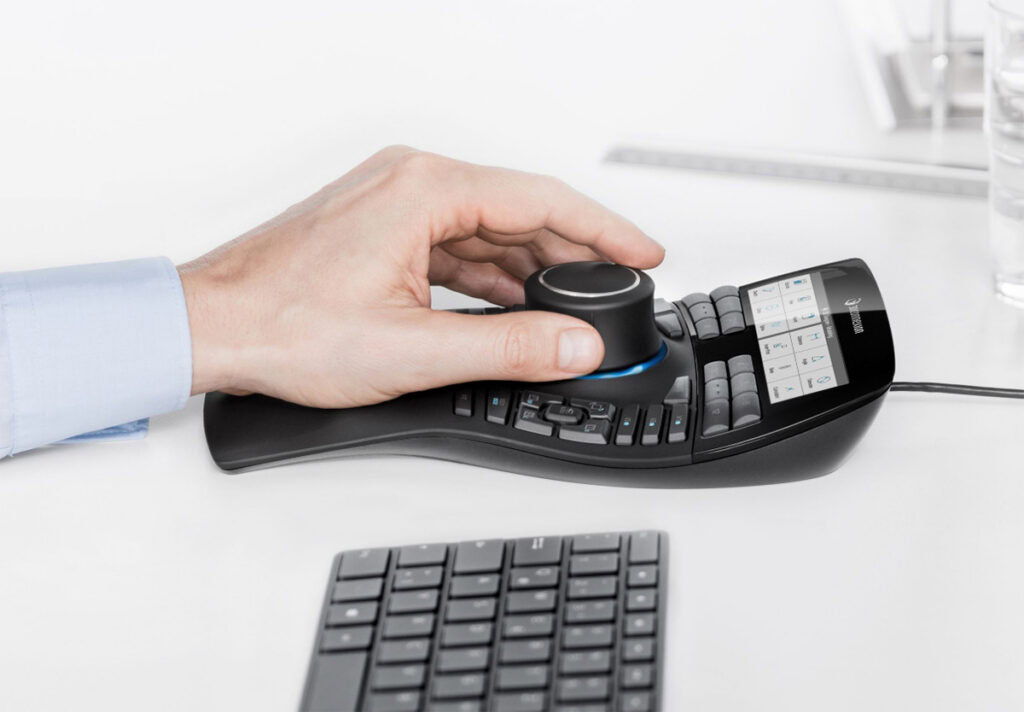
Updated Space Mouse integration
MicroStation’s updated Space Mouse integration delivers smooth, intuitive 3D navigation with advanced modes, SmartUI customization, and certified compatibility for all current and future devices. It enhances performance for large models, accelerates workflows, and ensures a future-proof experience for professionals who demand precision and speed.
The updated Space Mouse integration with MicroStation:
- Enhances 3D navigation with modern modes and SmartUI.
- Improves performance for large, complex models.
- Offers customizable workflows and certified compatibility.
- Future-proofs integration with all current and upcoming devices.
- Boosts productivity through intuitive, responsive controls.
